 VISTARA
HOW IT WORKS
Your agent asks.
You answer from where you are.
Vistara is a Mac menu-bar app that watches the coding agents you already run. When one asks you something, a card comes to you in whatever app you’re in. Your answer goes back through the agent’s own hook, and the work of getting it there happens on your Mac.
Claude Code · Codex · Cursor · Grok · Apple Silicon Macs
AN AGENT ASKS
An agent asks a question or needs your OK.
Claude Code, Codex, Cursor or Grok reaches a question or an approval. Its hook tells Vistara, and waits while the card is up, for about 60 seconds.
Connecting takes one step in the welcome: Vistara adds its hooks to each agent it finds and backs up each settings file first. Hooks work the same in Terminal, iTerm, Warp or your editor’s terminal.
Keki sits on top of the Vistara window with a slow halo behind it. A “needs you” row slides in. Keki’s crest turns amber, it hops down into the space above the row, taps it once so the row glows, and says “This one’s waiting on you.”
A CARD COMES TO YOU
The card comes to you, in any app.
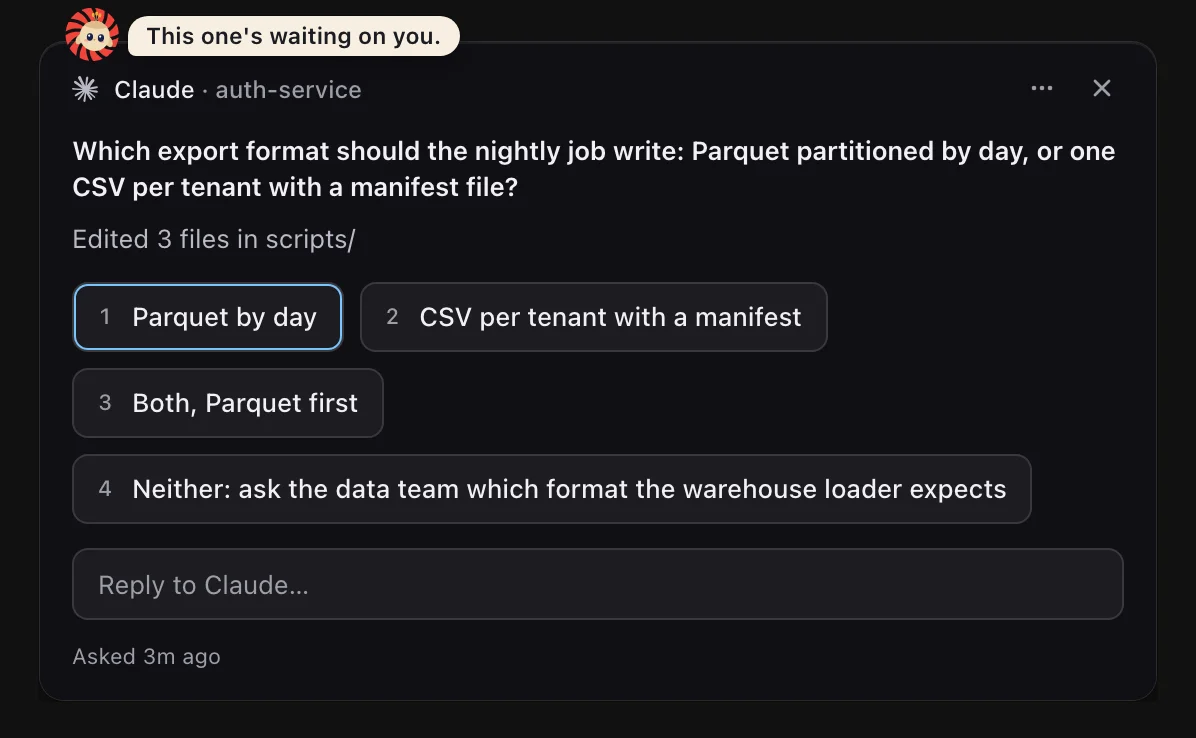
A card appears near your cursor with the agent’s own words and its options. You stay in the app you were in. One ask makes one card.
A browser shows a docs page. A Vistara card slides in next to the pointer: Claude asks which export format the nightly job should write. Keki hops onto the card and says “This one’s waiting on you.” ⌃⌥1 picks the first option, Keki nods (“Answered.”) and the card folds away.
ANSWER IN PLACE
Answer it where you are.
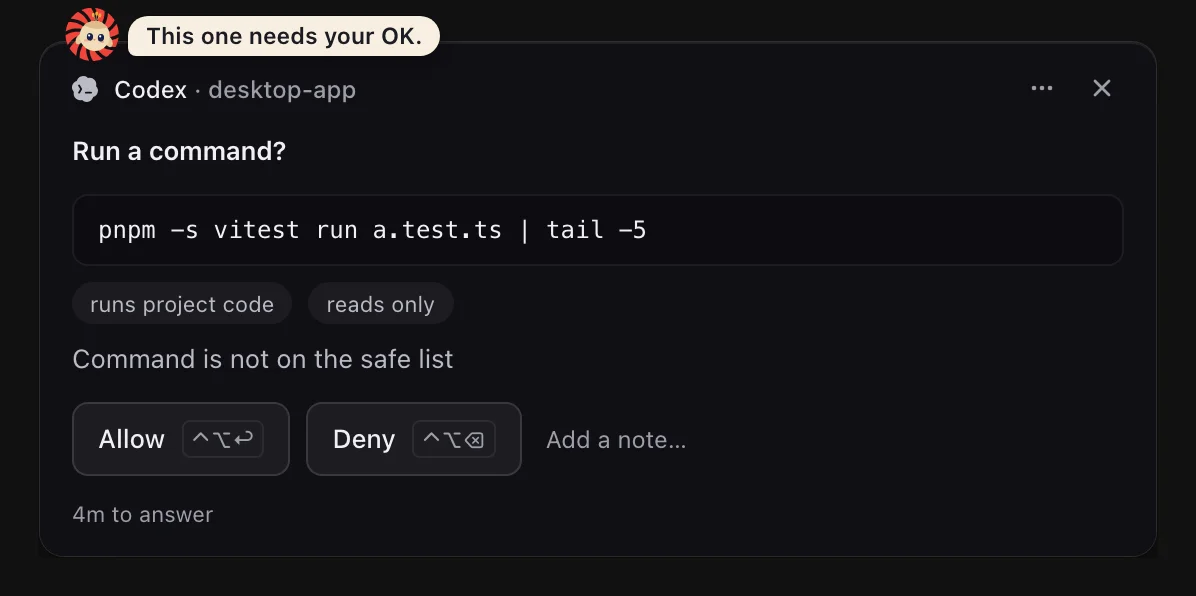
Click an option, type a reply, or use the chords without leaving your app. Your answer goes back as the hook’s answer, and nothing is typed anywhere.
- ⌃⌥↩Allow
- ⌃⌥⌫Deny
- ⌃⌥1–9Pick an option
- EscHand the question back to the agent’s own prompt
Words can never approve anything. An approval is granted only by your click on an approval card, or by your local policy.
REPLIES
Each agent is reached through its own channel.
Reply from a card or from a session’s reply box. Vistara sends only when you click, press a key or press Enter, and addresses the session by its id, never by guessing which window looks right.
A message counts as delivered only when the agent’s own history shows your words, or when a held hook took them as its answer.
A session view in Vistara shows Claude’s last message about the release notes. A reply is typed into the “Reply to Claude…” box and sent. It appears as a bubble with “Sending…”, then “Sent · waiting for it in the conversation”, then “Delivered ✓”, and the session turns to Working.
| Agent | How your answer gets there |
|---|---|
| Claude Code | Questions and approvals are answered through its held hook. A typed message can also go through Claude’s own inbox, into the running session, in any terminal, busy or idle.An answer to a menu or an approval never goes through the inbox. |
| Codex | Approvals are answered through its held hook. A typed message goes through Codex’s app-server: a new turn on the session’s thread, or a steer of the turn that is running.Only while the thread is open in Codex’s shared app-server, and never while Codex shows a menu. |
| Cursor and Grok | Questions and approvals are answered through their hooks where the hook can hold them. A typed message goes through their held Stop hook, or in at their next hook.Grok’s hooks can’t hold an approval or a question, so you answer those in Grok’s terminal. The card says so. |
| Sessions started in Vistara | + New starts the agent in a terminal Vistara hosts. Your replies are typed into that terminal and confirmed from the agent’s own history.A hosted session’s messages go only to its hook or its own terminal, never to another window or an inbox. |
- Saved firstA message is written to a local outbox on your Mac before anything else, so it survives a closed panel, a quit or a restart until it lands.
- Nothing is copied for youVistara never puts your words on the clipboard to deliver them. If nothing can carry them yet, they wait, and the row under the conversation says why.
- A hand-back, not a dead endIf the hold ends first, or you press Esc or ×, the question goes back to the agent’s own prompt and you answer it there.
THE WHOLE FLEET
See every agent at once.
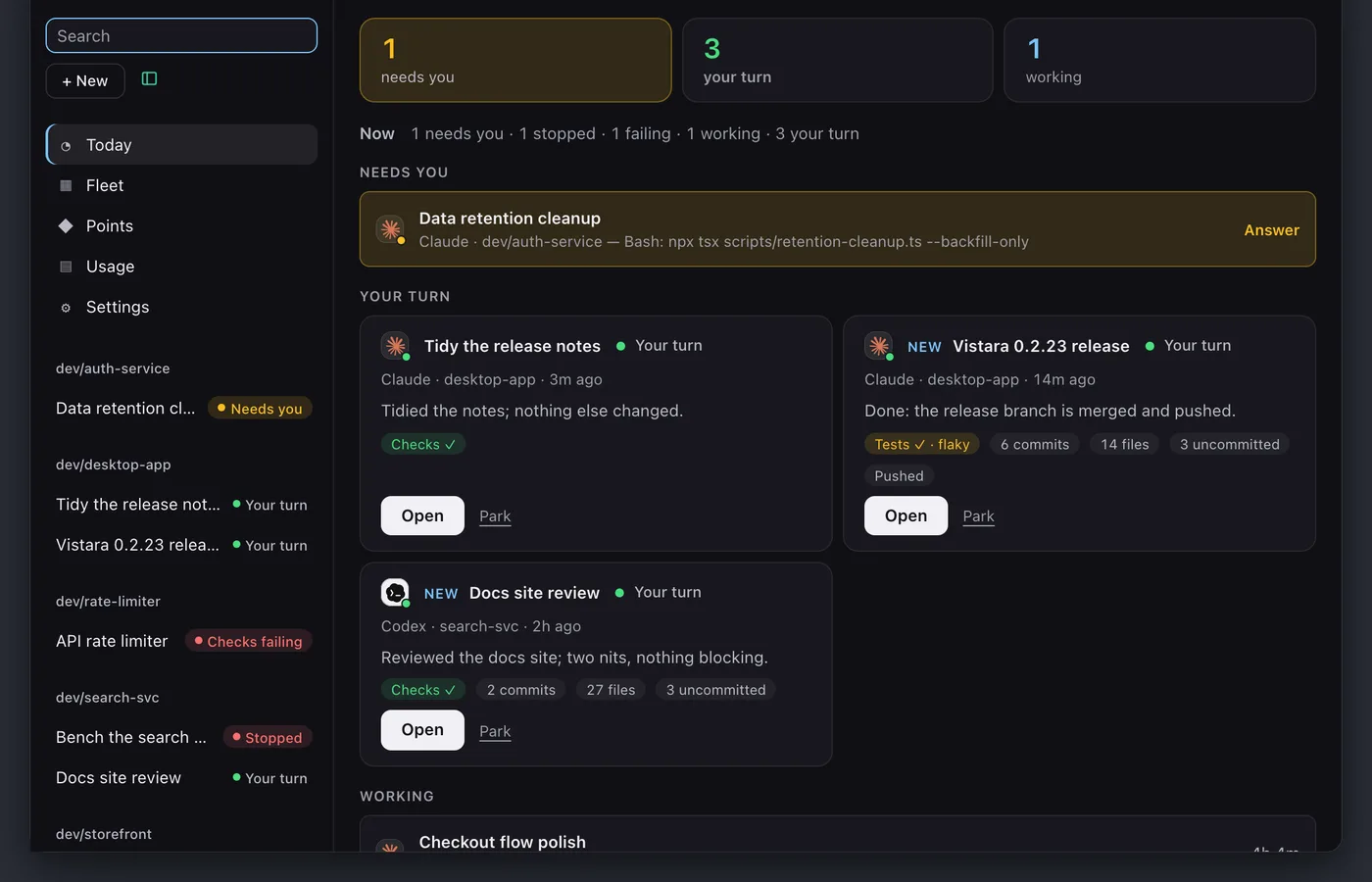
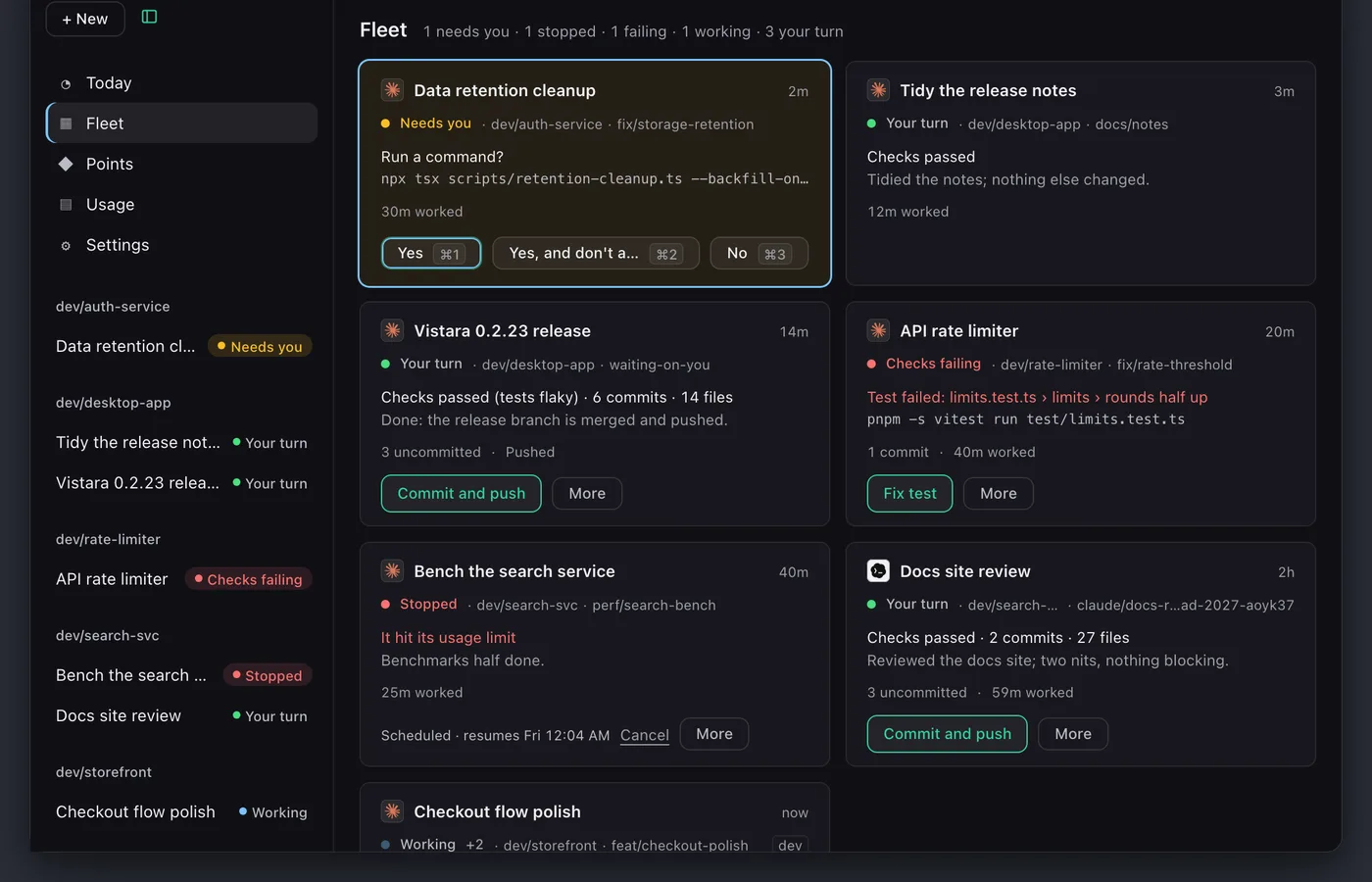
⌘⇧Space opens the workspace from any app. Today shows what needs you, what is working and what is ready. Fleet shows every live session at once, and ⌘G switches between the two.
Every surface uses the same word for a session: working, needs you, your turn, ready, done, parked, stopped or checks failing.
CHECKS
Done means the checks passed.
Each session shows the checks that really ran, and their results describe the code as it is now. A failing check names the failing tests and is rerun once to spot a flaky one.
When a session’s own tests or typecheck failed and its turn is over, Vistara offers to send the failure back to the agent, with the exact prompt shown first.
A large Keki leans toward a session tile that reads “Checks running”, with a fast halo behind it. The chip turns to “Checks ✓”. Keki squints happily, fans its tail blade by blade, the eyespots shimmer, a new one pops in, and a bubble says “84 of 84 passed. It’s done.”, a sample count.
PRIVACY
It runs on your Mac.
Answering your agents, showing their state and delivering your messages all happen locally. Settings → Privacy → What leaves this Mac lists every request the app sends, field by field, with the last 100 requests this Mac sent.
No account, API key or local model needed.
What it never does
- It doesn’t see your screen or watch your clipboard or keystrokes.
- It doesn’t read files your agents don’t touch.
- It doesn’t send code, prompts, conversations or files to Vistara.
- It doesn’t type into another app’s window, switch tabs or raise a window unless you turn on Terminal typing and focus return, and then only for something you sent.
Your node, in the app’s own words
Your node runs inside Vistara on this Mac and earns points while Vistara is open and when your agents finish work.
About once a minute it sends Vistara's points server a short signed note (a task finished, when, and its session id), never code, prompts or files.
Start with the Mac beta.
Free for anyone running Claude Code, Codex, Cursor or Grok on an Apple Silicon Mac.